
Plant Care - AI Identifier
Goldlab ProEducation
3.917.00 Reviews
- Version
- 2.5
- Installs
- 500.00K
- Age Rating
- Everyone
Screenshots
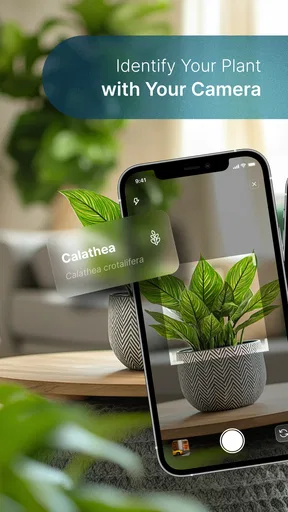
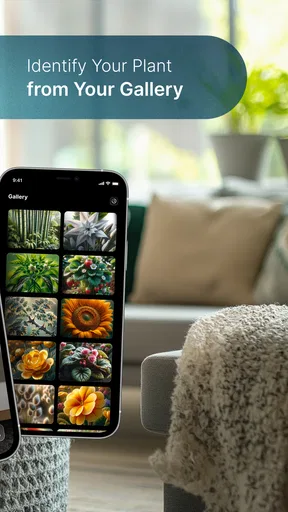
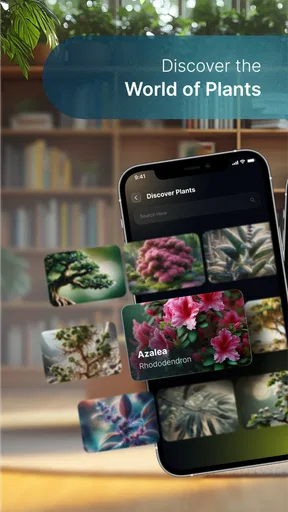
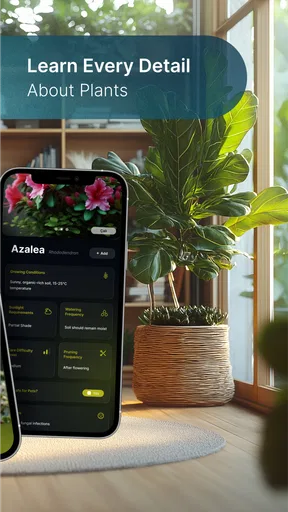
Our Review of Plant Care - AI Identifier
 Analysis by Appyee
I have always found plant identification more useful when it leads to a practical next step. Knowing that a plant is a pothos, fern, or succulent is interesting, but the real question usually comes immediately afterward: where should it sit, how often should I check it, and what might be going wrong? Plant Care - AI Identifier, developed by Goldlab Pro, focuses on that first moment of recognition and turns it into a more approachable learning task.
After spending time with this free education app, I see its main value in helping ordinary plant owners make a quicker first assessment. It is not a replacement for a botanist, nursery specialist, or careful diagnosis of a serious disease. Instead, it works best as a convenient starting point when I have an unfamiliar plant in front of me and want guidance without searching through several websites.
The app is available to everyone and runs on Android devices using version 7.0 or later. Its current version is 2.5, and its popularity is reflected in more than 500 thousand installs. That reach makes sense: plant care is a broad subject, and an image-based identifier is easier to approach than a long botanical reference book.
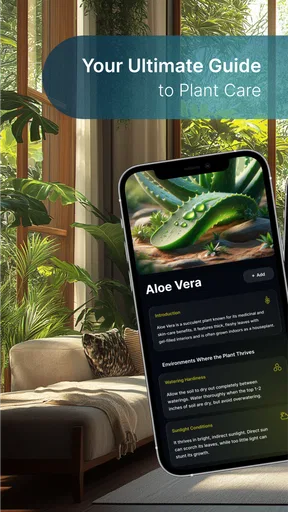
Plant recognition is the feature that shapes the whole experience
The central capability is identifying a plant from an image. That sounds simple, but the useful part is not merely receiving a name. Identification gives me a common label to use when I continue researching light, watering, soil, or possible problems. Without that first label, even a basic search can become frustrating because many plants look similar at a glance.
In practice, I would use the app when I find a plant at a market, receive a cutting from a friend, or notice a volunteer plant growing in a pot. I can take a picture instead of trying to describe leaf shape and color in words. That saves time, especially when I do not know the vocabulary needed to explain what I am seeing.
The strongest benefit is reducing the distance between curiosity and action. A person who recognizes a plant can make better-informed care decisions than someone who treats every houseplant in the same way. Even a preliminary identification can remind me that a plant with thick leaves may need a different routine from one with delicate, thin foliage.
I also appreciate the educational angle. The app belongs to the Education category rather than presenting itself only as a decorative gardening tool. That matters for beginners who want to learn names and patterns gradually. Repeatedly checking plants can help users notice differences in leaf arrangement, growth habit, and overall appearance, even if they are not studying botany formally.
What happens when I use it on a real plant
A realistic use case is a plant sitting on a windowsill with yellowing lower leaves. I might photograph the whole plant first, then use the result as a starting point for research. The identification could point me toward the correct family of care advice, but I would still inspect the soil, the pot drainage, the amount of direct sun, and the timing of recent watering. The image result is useful because it narrows the conversation; it does not settle every possible cause of the yellowing.
This distinction is important. A visual identifier sees what is visible in the photograph, while plant health often depends on conditions outside the frame. Roots, soil moisture, recent temperature changes, pests under leaves, and the history of watering may all matter. I would therefore treat the result as a helpful hypothesis rather than a final verdict.
For the clearest result, I would photograph one plant at a time and make sure the leaves are visible. A cluttered image containing several species creates an avoidable problem: even if the app recognizes a plant, I may not know which one it has analyzed. A close image of a single healthy leaf can help with recognition, while a second image showing the entire plant gives better context for later care decisions.
Lighting also affects the usefulness of the process. I would avoid harsh reflections on glossy leaves and avoid taking a picture in deep shadow. Natural, even light makes the visible features easier to interpret. This is a simple habit, but it is one of the most valuable practical tips because many identification disappointments begin with a poor photograph rather than with the app itself.
Another useful workflow is to identify plants before creating a care routine, not after a problem appears. If I bring home several unfamiliar plants, I can label them in my notes using the names suggested by the app and then research their individual needs. That prevents the common mistake of watering everything on the same day simply because the pots happen to share a shelf.
Where the app helps more than ordinary searching
Traditional web searches are still better when I already know the plant name and need detailed information from specialist sources. Search engines can lead to nursery guides, university resources, and discussions about unusual varieties. The weakness is that the search only becomes efficient after I have a reasonably accurate name.
Plant Care - AI Identifier has an advantage at the beginning of that process. I can start with an image rather than a guess. That is especially helpful for beginners, renters who inherit plants from a previous occupant, or anyone caring for a plant without a label. It also makes casual learning easier because I do not need to interrupt the moment by opening several pages and comparing photographs manually.
Compared with a printed plant guide, the app is more convenient to carry and quicker for a single unknown specimen. A book remains valuable for browsing, comparing related species, and learning broader botanical context. I would choose the app for a fast first pass and a book or specialist reference when the identification has consequences, such as handling a potentially irritating plant or deciding whether an outdoor species is suitable for a particular environment.
Compared with asking a gardening group, the app offers immediate feedback and does not require waiting for someone to respond. Community advice can be more nuanced, particularly when a photo shows disease or pest damage. My preferred approach would be to use the app to form an initial idea, then ask an experienced grower when the plant is valuable, unusual, or visibly deteriorating.
The best everyday scenario is a mixed collection at home
The app makes the most sense for someone with a growing collection of unlabeled or partly labeled plants. Imagine a person moving into a new apartment and finding several pots left behind. Some may be common houseplants, while others may have different light or watering preferences. Instead of assigning one routine to all of them, the owner can identify each plant and organize the collection by likely care needs.
I would take a clear image of each specimen, write down the suggested name, and then observe the room rather than immediately moving everything. One plant may be close to a bright window, another may be several feet away, and a third may be exposed to a draft. The app helps me understand what I am looking at; the room itself determines whether that plant is actually comfortable there.
This workflow also helps families. A child interested in nature can photograph a plant and use the result as the beginning of a small observation project. They might record whether a new leaf appears, whether the plant leans toward light, or how the leaves change after watering. In that setting, the identifier is not just a utility; it becomes a prompt for paying closer attention.
It is equally useful before buying a plant. If I see an unnamed specimen at a local stall, I can use the app to get an initial idea of what it might be and then ask the seller more informed questions. I would not rely on it alone to make a safety decision or to confirm a rare cultivar, but it can prevent me from buying completely blindly.
The tradeoff between speed and certainty
The convenience of image identification comes with an unavoidable tradeoff: a quick result may be less precise than a careful human examination. Similar-looking plants can share leaf colors and shapes, especially when photographed from one angle. Young plants may also look different from mature examples. I would check whether the suggested result matches the stem, growth pattern, and overall form rather than accepting the first name automatically.
Plant health diagnosis requires even more caution. A brown leaf edge can come from several different causes, and a photograph may not reveal which one applies. If I use the identification as permission to change watering, light, or soil immediately, I could make the problem worse. The safer method is to combine the result with basic observation: feel the soil, inspect both sides of leaves, check drainage, and consider recent changes in the environment.
The app is free to download and use, but it includes optional in-app purchases ranging from around five dollars to around thirty dollars per item. That makes it important to understand what level of use I actually need before paying. A casual user who identifies a few plants may be satisfied with the free experience, while a committed collector may consider extra paid access worthwhile if it supports a regular workflow.
I would also keep an eye on how much I rely on automated guidance. The app can make plant care feel less intimidating, but it should not encourage a hands-off approach. Plants respond to local conditions, and two specimens with the same name can behave differently because of pot size, humidity, soil mix, or light exposure. The tool is most useful when it supports observation rather than replacing it.
The average rating is 3.9 from roughly one thousand one hundred ratings, which suggests a generally positive but not universally smooth experience. I read that as a reason to keep expectations practical. The app appears suited to quick identification and learning, but users looking for perfect recognition in every photograph or highly detailed professional diagnosis may find its limits more noticeable.
Who gets the most value from it
Beginners are the clearest audience. If plant names are unfamiliar, the app gives them a less stressful way to start. It can turn “I have no idea what this is” into a useful first question. That small reduction in friction may be enough to encourage better care habits instead of random watering and guesswork.
It also suits casual indoor gardeners who own several common plants but do not want to maintain a complex database. For these users, speed matters more than advanced botanical detail. The app can help identify a plant during a shopping trip, while reorganizing a windowsill, or when preparing to give a cutting to someone else.
Teachers, parents, and hobby groups may find an educational use for it as well. The image-first approach gives learners something concrete to investigate. I would use it as a conversation starter, asking whether the suggested name fits the visible characteristics and what additional evidence would make the identification more convincing.
More experienced growers may still appreciate the convenience, but they are likely to use it differently. They may already recognize common species and only open the app for an unfamiliar plant. For them, the benefit is occasional speed rather than a complete care system. A specialist reference, nursery consultation, or plant community may be better for rare specimens, cultivar-level identification, toxicology concerns, or persistent disease.
I would skip this app if I wanted a guaranteed scientific identification from a single photograph, or if my main need were advanced diagnosis of pests and diseases. I would also avoid making a purchase simply because a plant is struggling. First identify the plant, observe its environment, and decide whether the additional paid functionality genuinely fits the way I plan to use it.
Small habits that make the results more useful
My first recommendation is to photograph the plant twice when possible: once for a clear view of distinctive leaves and once for the complete growth shape. Even if the app only needs one image, the second view helps me compare the suggestion with the plant in front of me. It also creates a useful record if the plant changes later.
My second recommendation is to separate identification from treatment. I would not water, repot, fertilize, or move a plant solely because of an automated result. Instead, I would use the name to find appropriate information and then check that advice against the actual conditions at home. This two-step process is slower than blindly following a suggestion, but it is much safer.
My third recommendation is to use the app as a labeling tool for learning. After identifying a plant, I would write the name beside the date and location, then watch how it responds over the following weeks. That turns a one-time scan into a personal reference and helps me learn which visual features distinguish one plant from another.
Plant Care - AI Identifier is not the kind of app I would open every day without a reason. Its value appears at specific moments: when I meet an unknown plant, when I am organizing a collection, or when I need a sensible starting point for care research. That focused usefulness is a strength, provided I do not expect it to replace judgment.
For a free education app from Goldlab Pro, it offers an accessible entry into plant recognition and basic care research. The Everyone age rating also makes it approachable for households and learning activities. Still, the optional purchases and the natural limits of photo-based identification mean I would use it selectively rather than treating it as an authority.
My final view is favorable for beginners and curious plant owners. If you want a quick way to put names to unfamiliar plants and use those names to guide better questions, I think this app is worth trying. If you need expert certainty, detailed botanical classification, or a dependable diagnosis for a valuable plant, I would pair it with a specialist source. Its real strength is not telling me everything about a plant; it is helping me take the first informed step.
Verdict
Strengths of Plant Care - AI Identifier
- Identifies many common houseplants from a single photo.
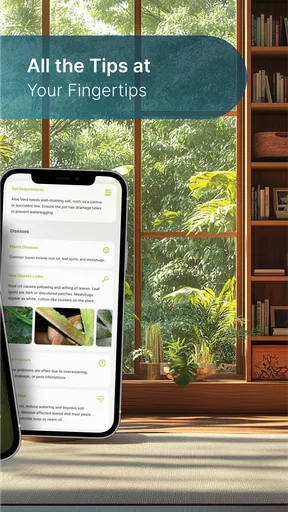
- Care advice is presented in a simple, beginner-friendly format.
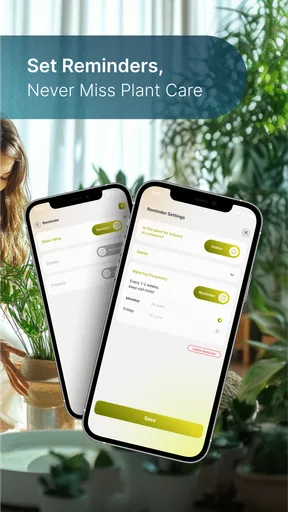
- Useful reminders can help maintain regular watering routines.
- Plant profiles make it easy to review saved specimens.
- Clean interface makes core features quick to find.
Limitations of Plant Care - AI Identifier
- Photo results may be less accurate with poor lighting or damaged leaves.
- Some advanced identification and care tools may require a subscription.
- Watering reminders cannot account for every indoor climate or potting mix.
- Care recommendations may feel too general for unusual plant varieties.
- Frequent notifications could become distracting if settings are not adjusted.
Other Releases by Goldlab Pro
View All
MapXplorer: Navigation, Radar
Maps & Navigation4.6
Similar Picks in This Category
View All
Duolingo: Language Lessons
Duolingo4.7

Google Classroom
Google LLC2.8

Unacademy: Learn & Crack Exams
Unacademy3.2

Bible App for Kids
Life.Church4.4

Cake - Learn English & Korean
Cake Corp.4.7

Brainly: AI Homework Helper
Brainly4.5
Frequently Asked Questions
What is Plant Care - AI Identifier, and how does it work?
Plant Care - AI Identifier is designed to help users recognize plants and manage their care routines. You can usually take or upload a photo of a plant, and the app analyzes visible characteristics to suggest a possible species or variety. It may also provide information about watering, light, soil, and general maintenance. Results are helpful for identification, but should be treated as guidance rather than guaranteed botanical advice.
How accurate is the plant identification feature?
The identification tool can be useful for common houseplants, garden plants, and clearly photographed leaves or flowers, but accuracy depends heavily on image quality, lighting, camera focus, and how much of the plant is visible. Similar species may be confused, especially when the plant is young or missing flowers. Before acting on the result, compare the suggested name with reliable gardening or botanical sources.
Can Plant Care - AI Identifier diagnose plant diseases or care problems?
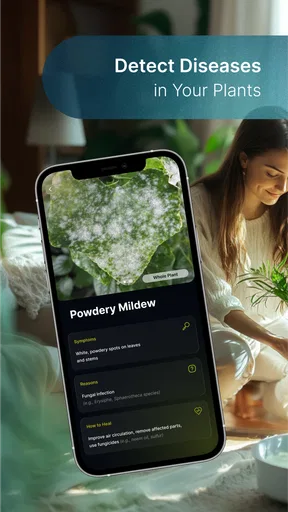
The app may use images and visible symptoms to suggest possible issues such as yellow leaves, spots, pests, overwatering, or insufficient light. These suggestions can help you investigate a problem, but they are not a professional diagnosis. Many plant conditions look similar and may have several causes. Use the recommendations cautiously, and consult an experienced gardener or specialist if the plant is valuable or seriously damaged.
Does the app provide personalized reminders for watering and plant care?
Plant Care - AI Identifier may include tools for organizing care tasks, such as watering reminders, plant profiles, and basic schedules. However, a reminder should not be followed blindly because watering needs change with the plant species, pot size, soil, season, humidity, and indoor conditions. Check the soil and observe the plant before watering. Any schedule in the app works best as a flexible starting point.
Is Plant Care - AI Identifier free to download, and are there subscriptions or privacy concerns?
The application may be available to download without an initial charge, while some identification tools, advanced care information, unlimited scans, or additional features can require in-app purchases or a subscription. Review the current pricing and trial terms in the Google Play Store or Apple App Store before confirming payment. Since plant photos may be uploaded for analysis, also check the privacy policy to understand how images and account data are handled.
